The Complete Guide to Business Email Hosting: What It Is & How It Works
Everything you need to know about custom-domain business email — how it works, what it costs, and how to set it up the right way.
Most people don't think about email until it breaks — a client email lands in spam, a new hire can't get set up on day one, or a domain migration turns into a week of chasing bounced messages. Underneath all of that is a piece of infrastructure most businesses never actually chose: their email hosting.
If your company still runs on a free @gmail.com or @outlook.com address, or you inherited a mail setup nobody fully understands, this guide is for you. We'll walk through what business email hosting actually is, how it works under the hood, what's included in a typical plan, how it compares to the big office suites, and how to choose (and set up) a provider without guessing.
What Is Business Email Hosting, Exactly?
Business email hosting is a service that stores, sends, and receives email for your organization using your own domain name — think [email protected] instead of [email protected] — with the mail itself living on servers managed by the hosting provider rather than a free consumer platform.
In practical terms, hosting is the difference between borrowing someone else's mailbox and owning your own. A free email account ties your identity to someone else's brand and gives you no control over storage limits, security policies, or what happens if the provider changes its terms. Business email hosting puts your domain, your data, and your administrative controls in one place that's built for a company rather than an individual.
This isn't a single monolithic product — it's a layer of infrastructure with a few interchangeable pieces: a mail server that stores messages, a set of protocols that move mail in and out, a webmail or app interface for reading it, and (usually) a set of security and authentication features layered on top. Understanding each piece makes the rest of this guide — and any provider comparison you do later — much easier to follow.
Free Email vs. Business Email Hosting: What Actually Changes
It's a fair question: if Gmail is free and reliable, why pay for hosting at all? The answer isn't that free email is bad — it's that it wasn't built for what a business needs it to do.
Domain trust and credibility. An email from [email protected] signals a real, established business in a way that [email protected] doesn't. This matters more than it might seem — some recipients, procurement systems, and B2B vendors treat free-domain email addresses as a soft red flag.
Deliverability and sender reputation. When you send from a shared free-email domain, your messages are judged partly by the reputation of millions of other Gmail or Outlook.com users. A custom domain gives you your own sender reputation, which you control — for better or worse, but at least it's yours to manage.
Control over data and continuity. Free consumer accounts can be suspended, storage-capped, or tied to a single employee who eventually leaves the company, taking institutional email history with them. Business hosting keeps the domain, the mailboxes, and the admin controls under company ownership, not an individual's personal account.
Team-level administration. Business hosting typically includes centralized user management — adding, removing, or resetting access for employees — along with shared aliases (like sales@ or support@) and consistent security policy across every mailbox, not per-person settings a single user could quietly change.
Compliance and storage guarantees. Many industries need defined data-retention and storage guarantees that free consumer email simply doesn't offer as a matter of policy.
None of this means free email is useless — it's fine for personal use or a very early-stage side project. But the moment email becomes part of how customers, vendors, or teammates trust you, the free-tier tradeoffs start to cost more than a hosting plan would.
How Business Email Hosting Works Behind the Scenes
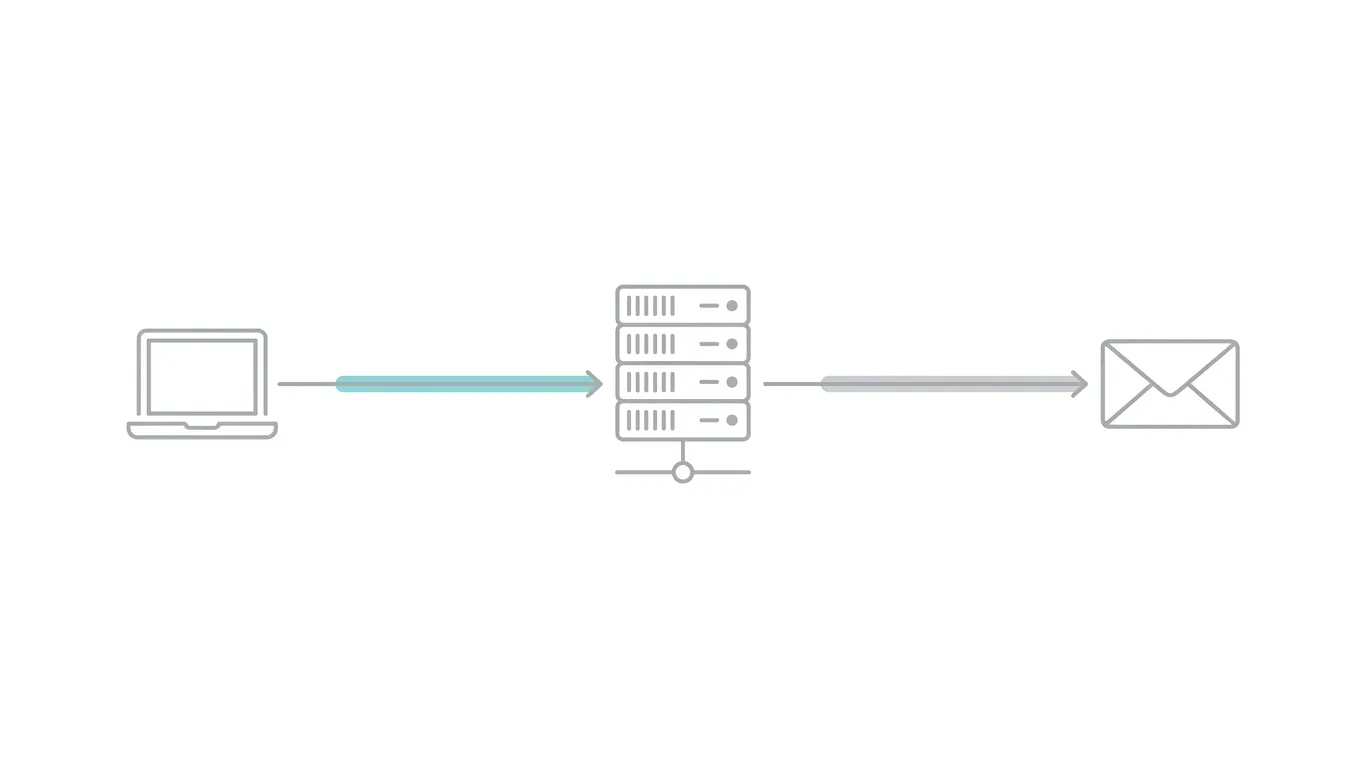
Email feels instantaneous, but it's actually a short relay race between several distinct systems, each with a specific job. Here's what happens between hitting "send" and a message landing in someone's inbox.
Where Your Mail Actually Lives: Mail Servers and MX Records
Every domain has DNS records, and among them are MX (Mail Exchange) records — entries that tell the entire internet which mail server is responsible for receiving email sent to that domain. When someone emails [email protected], the sending system looks up your domain's MX records first, finds the address of your hosting provider's mail server, and delivers the message there. Your hosting provider's server is where your mailbox — and everything in it — actually lives.
This is also why switching business email hosting means updating MX records: you're literally redirecting where incoming mail gets delivered.
Sending Mail: The Role of SMTP
Outgoing mail travels using SMTP (Simple Mail Transfer Protocol) — the protocol responsible for handing a message off from your mail client to your provider's outgoing server, and then relaying it along to the recipient's server. SMTP typically runs over port 587 (submission, with encryption) or port 465 (SMTP over SSL), rather than the older, largely deprecated port 25 for client submissions. If you've ever configured an email client manually, the "SMTP server" field you filled in is exactly this — the outbound half of the system.
Receiving and Reading Mail: IMAP vs. POP3
Once mail is sitting on the server, you need a protocol to actually read it — and there are two standard options.
IMAP (Internet Message Access Protocol) keeps your mail on the server and syncs it across every device you use. Read a message on your phone, and it shows as read on your laptop too, because both are just windows into the same server-side mailbox. This is the standard for almost all modern business use, since teams check email from multiple devices.
POP3 (Post Office Protocol) downloads mail to a single device and, in its traditional configuration, removes it from the server. It predates multi-device usage and is largely a legacy option today — useful mainly for narrow cases like a single-device archival setup, not typical team use.
For virtually every business scenario, IMAP is the correct choice, and most modern hosting providers default to it accordingly.
Encryption in Transit: TLS and STARTTLS
Mail moving between servers, and between your device and your provider, should be encrypted so it can't be read in transit. TLS (Transport Layer Security) is the encryption standard; STARTTLS is the mechanism that upgrades an initially plain-text connection to an encrypted one during the handshake, commonly used with SMTP submission. Reputable hosting providers enforce TLS/STARTTLS by default rather than treating it as an optional setting — this is table stakes for any provider you'd actually trust with business mail.
The Authentication Chain: SPF, DKIM, and DMARC Explained
If MX, SMTP, and IMAP are about moving mail, this next layer is about proving mail is legitimate — and it's the part most guides skip past too quickly, even though it's directly responsible for whether your messages land in an inbox or a spam folder.
SPF: Who's Allowed to Send as You
SPF (Sender Policy Framework) is a DNS record that lists exactly which mail servers are authorized to send email on behalf of your domain. When a receiving server gets a message claiming to be from yourcompany.com, it checks your SPF record to confirm the sending server is actually on the approved list. If it isn't, that's a strong signal of spoofing — and a strong reason the message might get flagged or rejected.
DKIM: Proving the Message Wasn't Altered
DKIM (DomainKeys Identified Mail) attaches a cryptographic signature to outgoing messages, generated using a private key your mail server holds. The receiving server checks that signature against a public key published in your DNS records. If the signature checks out, the receiver knows two things: the message really came from a server authorized to sign for your domain, and nothing in it was altered in transit.
DMARC: Telling Receivers What to Do When Checks Fail
DMARC (Domain-based Message Authentication, Reporting and Conformance) ties SPF and DKIM together and adds a policy layer: it tells receiving servers what to actually do when a message fails those checks — quarantine it, reject it outright, or simply monitor and report on it. DMARC also gives you visibility, through aggregate reports, into who's sending mail using your domain, which is often the first place spoofing attempts show up.
Together, these three records form a chain of trust: SPF says who's allowed to send, DKIM proves the message wasn't tampered with, and DMARC decides what happens when something doesn't check out. Getting all three configured correctly is one of the single biggest levers on inbox placement — more so than almost anything else in an email setup.
What's Included in a Business Email Hosting Plan
Provider offerings vary, but a solid business email hosting plan typically bundles:
- Custom-domain mailboxes — one or more addresses at your own domain, provisioned and managed centrally
- Webmail access — a browser-based inbox that doesn't require any client software
- A dedicated app — native mobile/desktop apps for a more integrated experience than webmail alone
- Standard protocol access — SMTP, IMAP, and (optionally) POP3, so the mailbox works with any email client, not just the provider's own interface
- A sending API — a developer-friendly way to send transactional or programmatic email directly from an application, distinct from a human typing in a webmail client
- Guided authentication setup — walkthroughs or automated tooling for configuring SPF, DKIM, DMARC, and MX records correctly
- Spam and threat filtering — inbound filtering to catch spam, phishing, and malicious attachments before they reach a mailbox
- Per-mailbox pricing tiers — most providers price per user/mailbox per month, often across a few tiers (storage caps, feature sets, support levels) rather than one flat price
UCN Mail, for example, bundles exactly this stack — custom-domain mailboxes, webmail and a dedicated app, standard SMTP/IMAP/POP3 access, a developer sending API, guided SPF/DKIM/DMARC/MX setup, and spam/threat filtering — priced per mailbox across Lite, Basic, Pro, and Business tiers, which is a fairly representative shape for what a modern business email hosting plan looks like.
Business Email Hosting vs. Google Workspace vs. Microsoft 365
This is usually where the decision actually gets made, so it's worth being direct about the tradeoffs rather than pretending one option wins universally.
Where the Big Suites Win
Google Workspace and Microsoft 365 aren't just email — they're full productivity suites bundling documents, spreadsheets, video calls, and cloud storage alongside the mailbox. For a team that's deeply invested in Google Docs or the Office ecosystem already, that bundling has real value, and switching away from it means giving up more than just email.
Where They Fall Short for Focused Business Email
That bundling is also the catch: you're paying for (and administering) an entire productivity platform even if all you actually need is reliable, professional email. Suite pricing tends to scale with the full feature set, admin consoles are built for managing dozens of interconnected services rather than one, and smaller teams or solo founders often end up paying for storage and tools they never touch.
A dedicated business email hosting provider, by contrast, is scoped specifically to do one thing well — mailboxes, deliverability, authentication, and (for developers) programmatic sending — without requiring you to adopt an entire company-wide software ecosystem to get there.
Cost and Complexity Comparison
Dedicated Business Email Hosting | Google Workspace / Microsoft 365 | |
|---|---|---|
| Primary focus | Email (mailboxes, deliverability, sending) | Full productivity suite (email + docs + storage + calls) |
| Typical pricing model | Per-mailbox, often simpler tiers | Per-user, tied to broader feature bundles |
| Setup complexity | Focused — mostly DNS/authentication setup | Broader — involves suite-wide admin configuration |
| Best fit | Teams that want email done well without a full suite; developers needing an API | Teams already standardized on Docs/Sheets or Office apps |
| API/developer access | Included as a core feature | Available, but scoped to the suite's broader developer platform |
Neither option is objectively "better" — it depends on whether you want email as one piece of a larger software ecosystem, or as a focused, well-run service on its own.
How to Choose a Business Email Hosting Provider
A few criteria matter more than the rest when comparing providers:
- Deliverability track record. A provider's own sending infrastructure reputation affects whether your mail reaches inboxes — ask directly about this rather than assuming it's uniform across providers.
- Authentication setup support. Look for guided or automated SPF/DKIM/DMARC configuration rather than being handed raw DNS instructions with no support.
- Protocol flexibility. Confirm standard SMTP/IMAP/POP3 access is included, so you're not locked into a single proprietary client.
- API access, if you're a dev team. If you need transactional or programmatic sending, confirm there's an actual sending API — not just a human-facing webmail interface.
- Security and filtering. Spam and threat filtering should be a default, not an upsell.
- Pricing transparency. Per-mailbox tiered pricing (like Lite/Basic/Pro/Business structures) is easier to budget against than opaque bundled pricing.
- Migration support. Ask specifically what happens to existing mail, aliases, and forwarding rules during a switch — this is where most mid-migration headaches come from.
Setting Up Business Email Hosting: What the Process Looks Like
The exact steps vary by provider, but the general shape of setting up business email hosting looks like this:
- Choose your domain (or use one you already own).
- Sign up for a hosting plan and select the mailboxes you need.
- Update your domain's MX records to point to the new provider's mail servers.
- Configure SPF, DKIM, and DMARC records — ideally with guided setup rather than manual trial and error.
- Provision individual mailboxes for each team member, plus any shared aliases (support@, sales@, etc.).
- Connect clients or apps — webmail works immediately, but IMAP/SMTP settings let you use Outlook, Apple Mail, or other clients if preferred.
- Test deliverability — send and receive a few test messages, including to major providers like Gmail, to confirm authentication is passing cleanly.
Most providers with guided setup (UCN Mail included) can get a small team from signup to a fully authenticated, working mailbox in well under an hour — the DNS propagation window is usually the longest part of the process, not the configuration itself.
Ready to see it in practice? Set up your custom-domain business email in minutes — UCN Mail handles the mailbox, the authentication setup, and the deliverability, so you don't have to piece it together yourself.
Further Reading on the UCN Mail Blog
UCN Mail Editorial
The team behind UCN Mail. Writing about deliverability, DNS, and running email on your own domain.